
When the picture starts breaking up in the middle of a game, the channel scan can wait. First, see whether the same channel breaks up on another TV connected to your antenna. That one comparison can narrow down where to look.
In its November 12 forecast discussion, the National Weather Service in Grand Rapids called for lake-effect rain and snow showers mainly near and just offshore of Lake Michigan through Saturday. If your reception changes during the showers, you can do the first three checks from indoors.
1. See how far the problem goes
Try the same channel on two TVs that share the antenna, if you have them. If one TV plays it cleanly, start with the cable and connection at the set that’s struggling. If both sets lose one station and its subchannels, check that station’s website for a transmitter notice. Several missing stations on both sets point you toward something the TVs share, such as the antenna, the main coax cable, or a powered amplifier.
Write down the channel numbers and the time. That’s more useful for troubleshooting than a count of how many stations the last scan found.
2. Check the cable and any amplifier power
On the affected TV, make sure you’re watching the Antenna or Air input and that the screw-on coax connection is snug by hand. If the system has a plug-in power supply for an antenna amplifier, check its outlet and indicator light. Winegard’s troubleshooting guide shows how an unpowered amplifier can leave an antenna system with no usable signal.
If a station is temporarily weak or off the air, a fresh scan may drop it from the channel list. Try again after its signal returns, or follow the station’s instructions if it announced a channel change.
3. Compare what happens after the weather clears
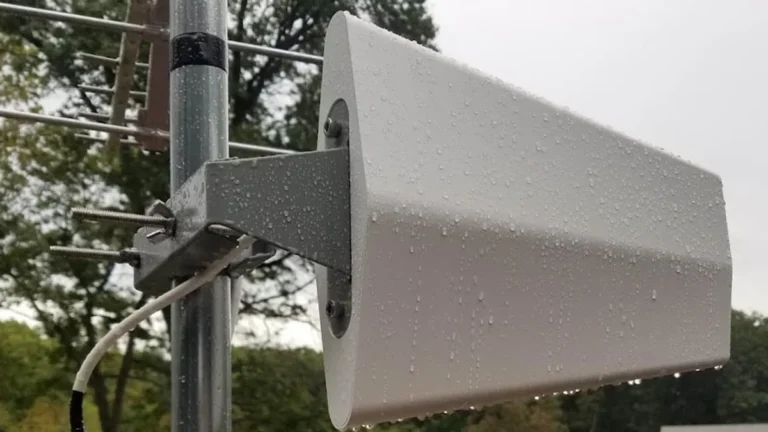
If channels recover after a shower and drop again the next time it rains, note the pattern. Transition TV’s antenna repair gallery shows examples of water inside coax, damaged connectors, and a broken antenna mount. The timing gives a technician a place to start testing. From the ground, you can also check whether the antenna looks visibly tilted or a cable is hanging loose. Leave rooftop checks for dry, safe conditions.
Before calling for service, jot down which channels dropped, whether it happened on more than one TV, and whether the picture came back when the weather cleared. Those three details help narrow down what needs testing. If you already have a visit scheduled, see how Transition TV handles appointments in wet weather.
Sources checked November 12, 2026.